Ableton Export
- Set the loop brace around the entire track and leave some space at the end for the reverb tails.
- Double-check the Limiter on the Referencing Master
- Make sure the real Master is wide open
- Select the full timeline
- Click on
File→Export Audio/Videoor useSHIFT+CMD+R - Copy down the export settings from below, this will create both a wav file (uncompressed) and mp3 (compressed)
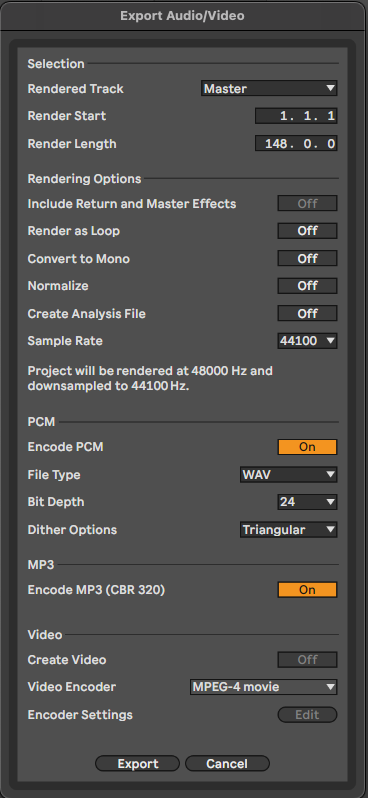
Relevant Note(s): Arrangement